Features
Everything a practice runs on, in one place.
Every plan includes charting, scheduling, billing, forms, video and the client portal. No modules to buy, no surprise invoices.
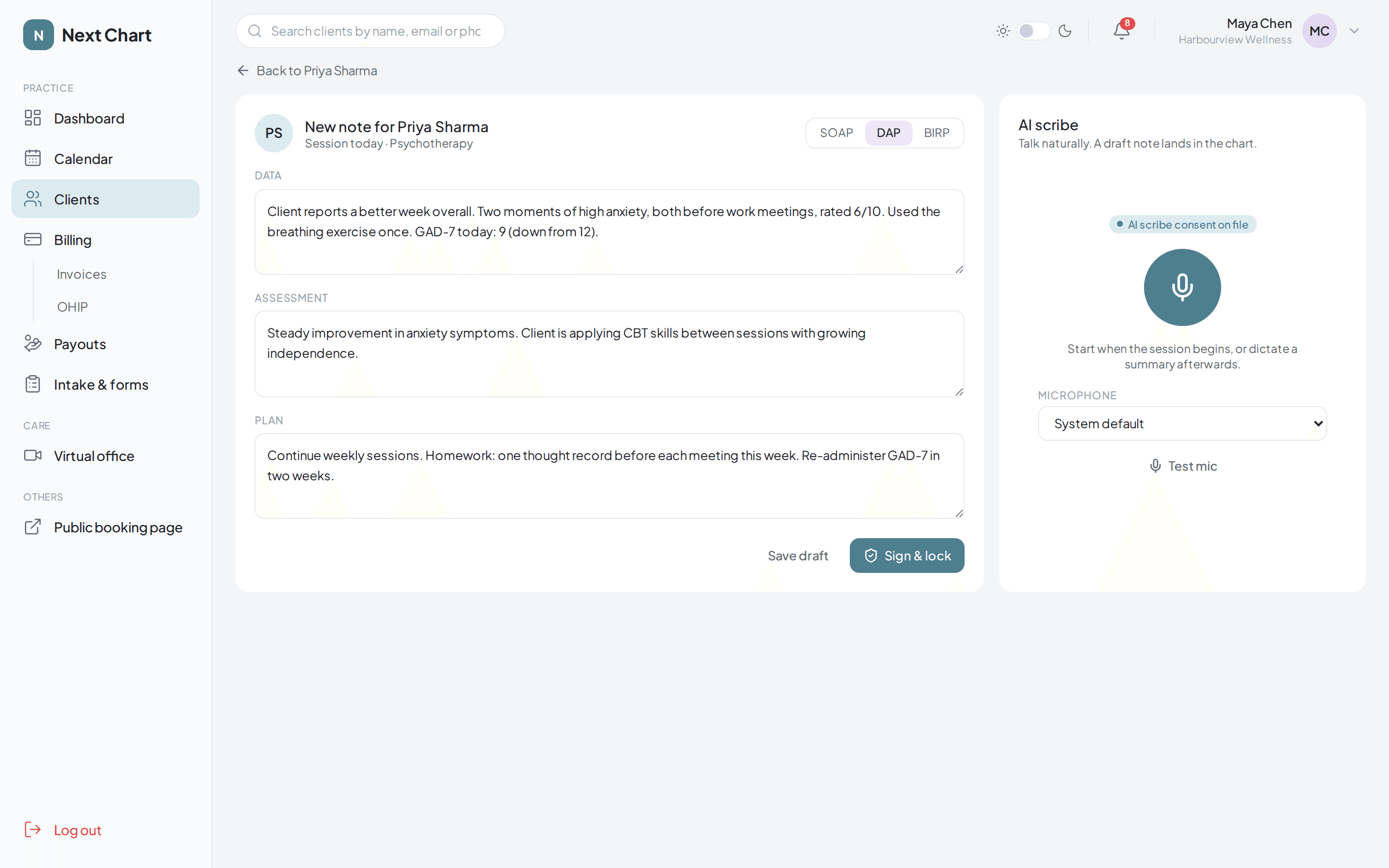
Charting
Notes in the format you already use.
Write SOAP, DAP or BIRP notes, or let the AI scribe draft them. Sign and lock when you're done, and every note stays in the client's chart with their files and forms.
- SOAP, DAP and BIRP templates, switchable mid-note
- Sign and lock, with drafts waiting on your dashboard
- Optional AI scribe from $15 per practitioner, with client consent recorded
- Files in folders on each chart, shareable to the client portal
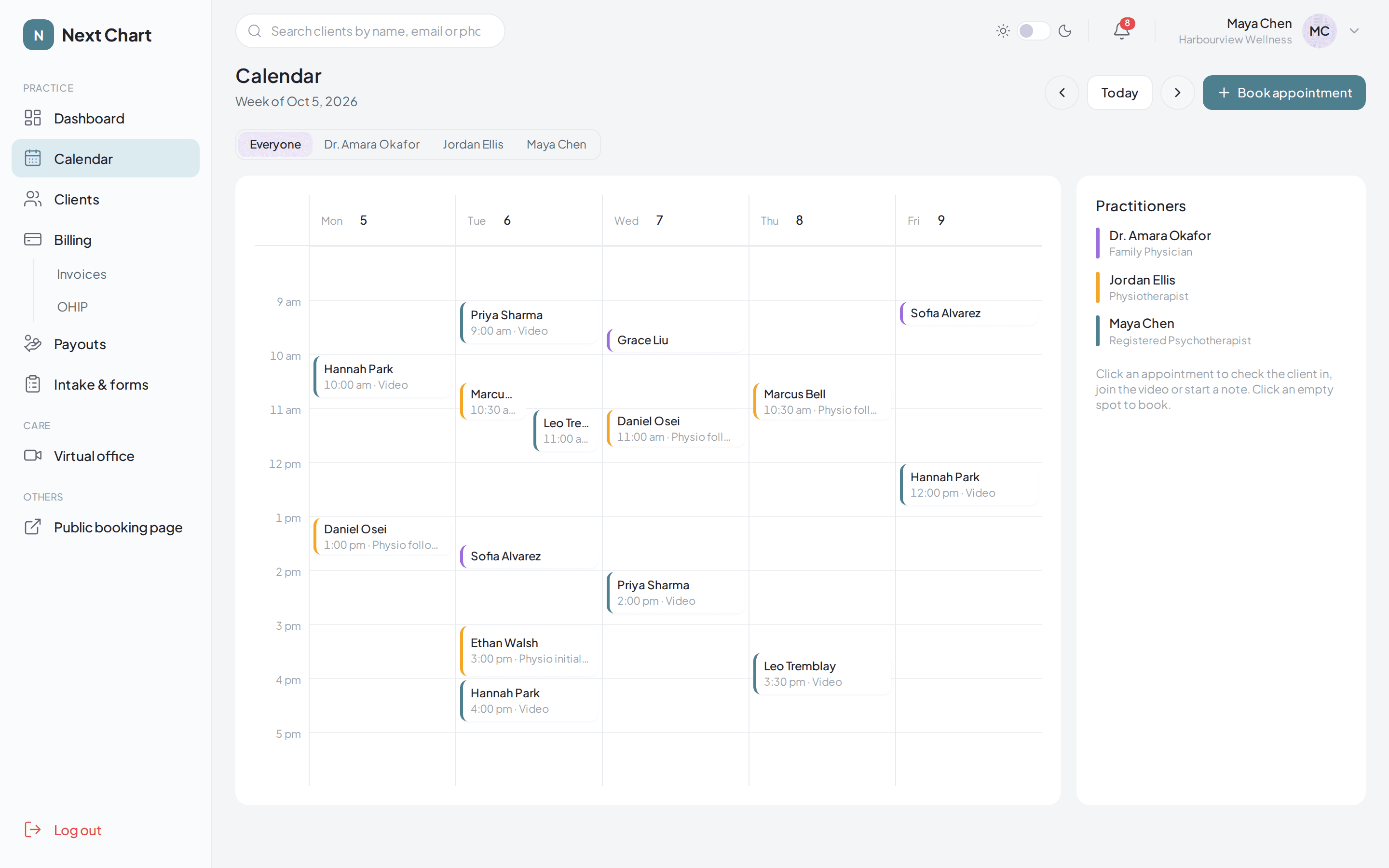
Scheduling
A calendar the whole clinic can share.
See every practitioner side by side or just your own day. Clients book from your public page or their portal, and reminders go out without anyone lifting a finger.
- Week view for the clinic, filter by practitioner
- Public booking page and booking from the client portal
- Confirmation and reminder emails with the video link
- Online cancellation with a cut-off you choose
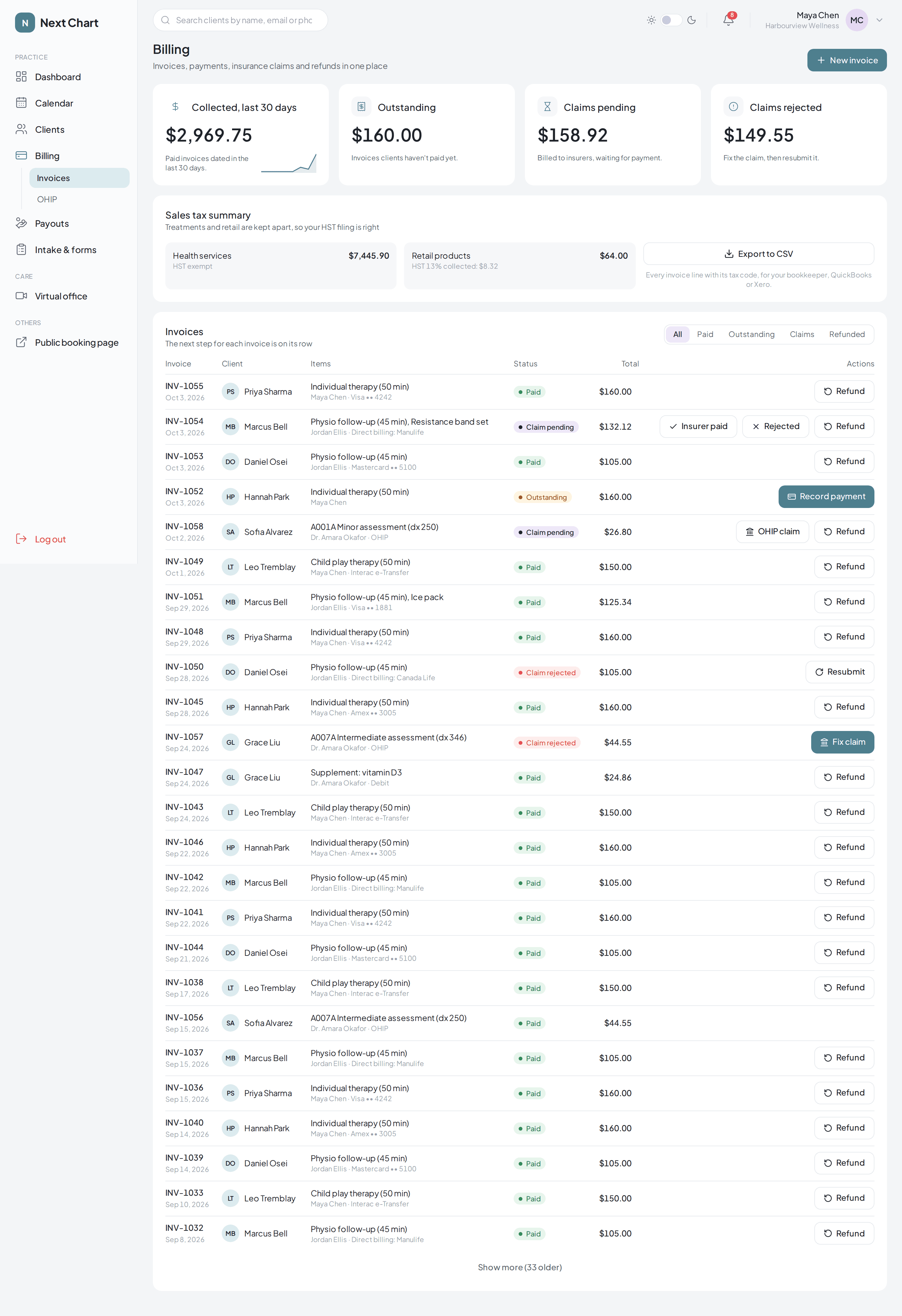
Billing
Get paid without the spreadsheet.
Invoices, receipts, insurance claims and refunds sit in one list, each with its next step on the row. Health services and retail are kept apart so your HST filing is right.
- Invoices and receipts clients can open from the portal
- Direct billing to insurers, with paid and rejected tracking
- One-click refunds
- CSV export for your bookkeeper, QuickBooks or Xero
OHIP billing
Doctors bill OHIP from the same chart.
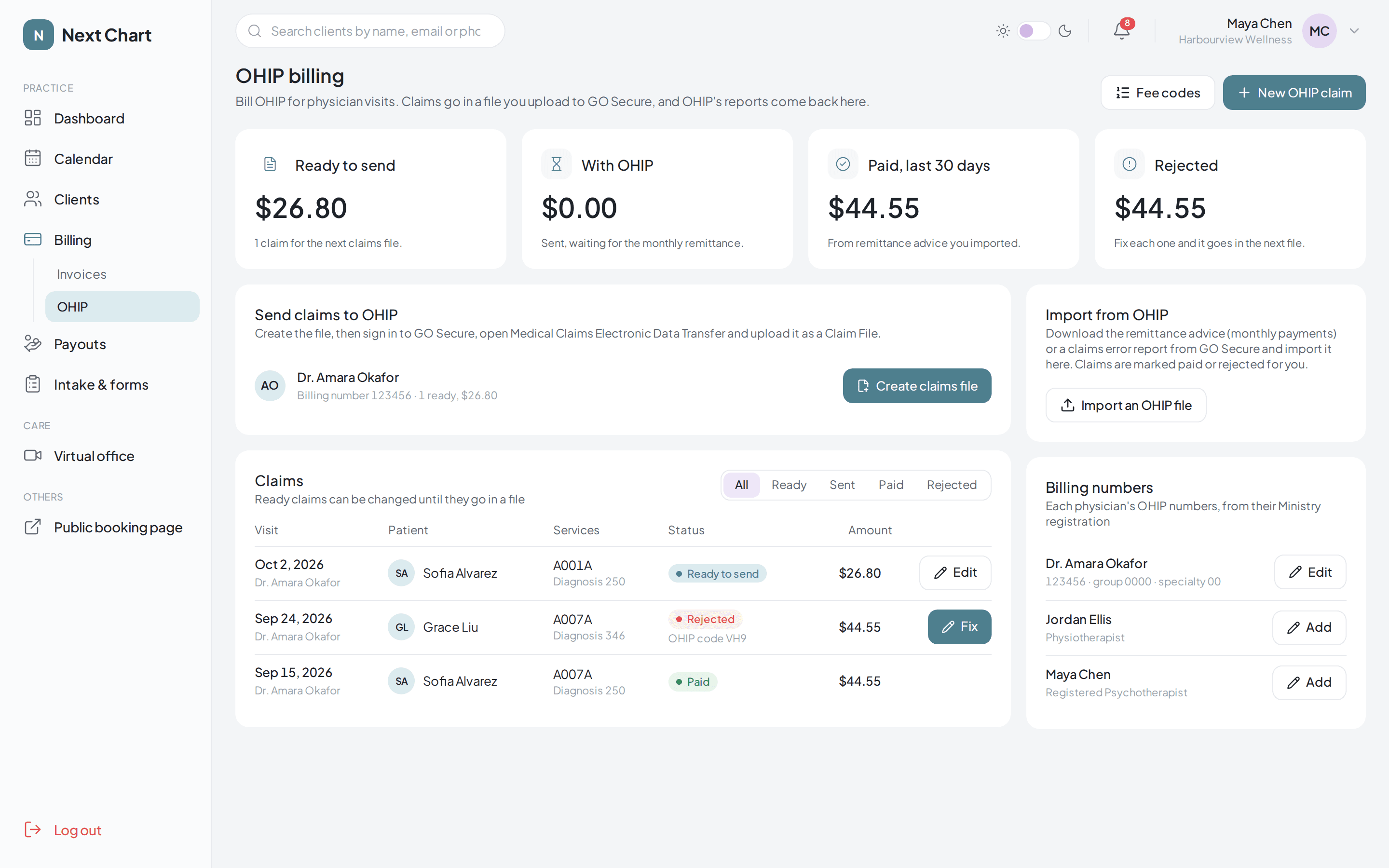
Physicians working alongside therapists and physios don't need a second system. Each visit becomes an OHIP claim, and Next Chart builds the Ministry claims file for you to upload in GO Secure.
- Health number and version code checked as you type
- Searchable fee and diagnostic codes
- Claims file in the Ministry's format, ready to upload
- Import remittance and error reports to mark claims paid or rejected
Intake & forms
Paperwork done before they arrive.
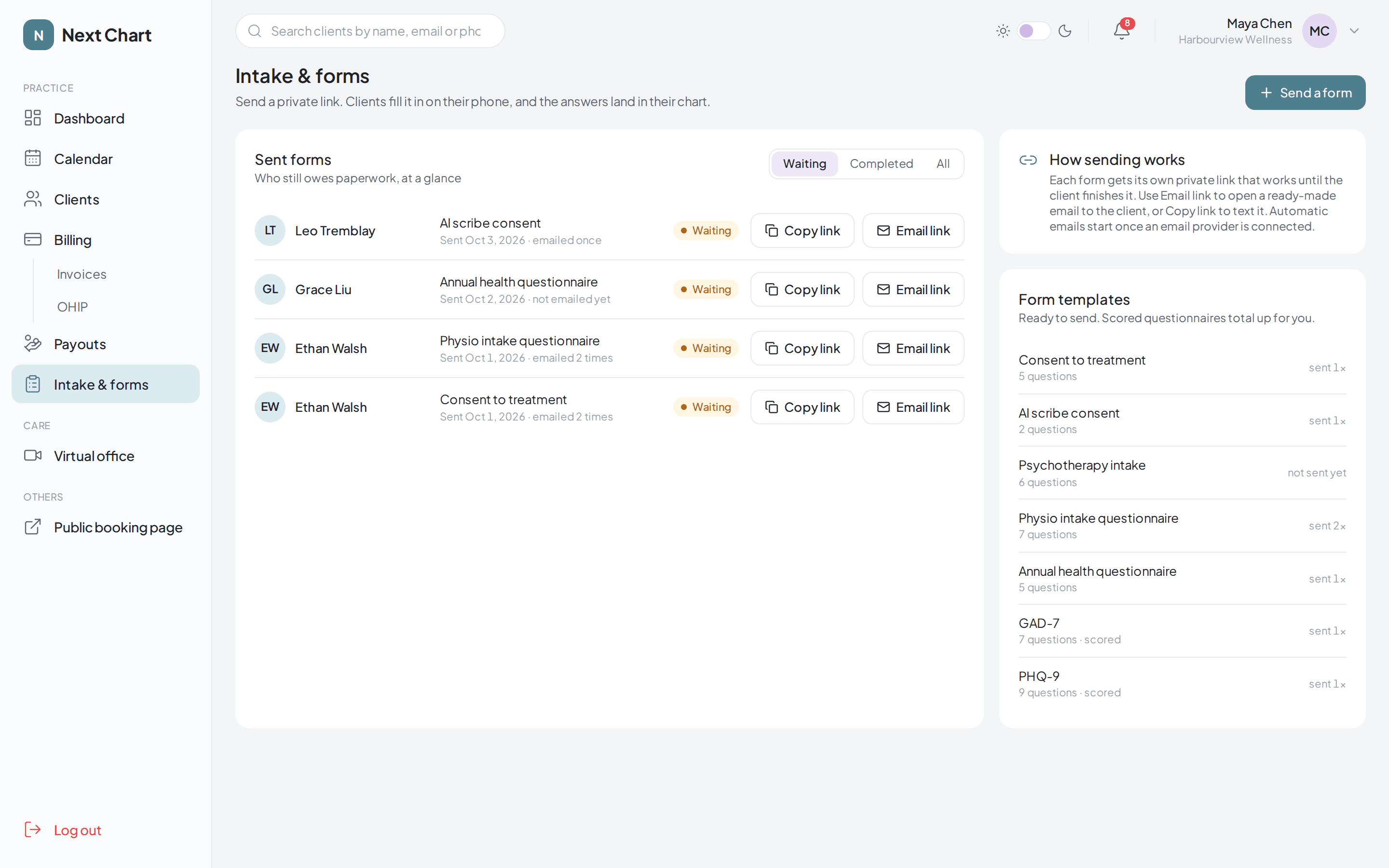
Send a private link that works until the client finishes. Answers land in the chart, and scored questionnaires add themselves up.
- Consent, intake and health questionnaires ready to send
- GAD-7 and PHQ-9 scored for you
- See at a glance who still owes paperwork
- Clients fill them in on their phone, no account needed
Client portal
Everything your clients need, on their phone.
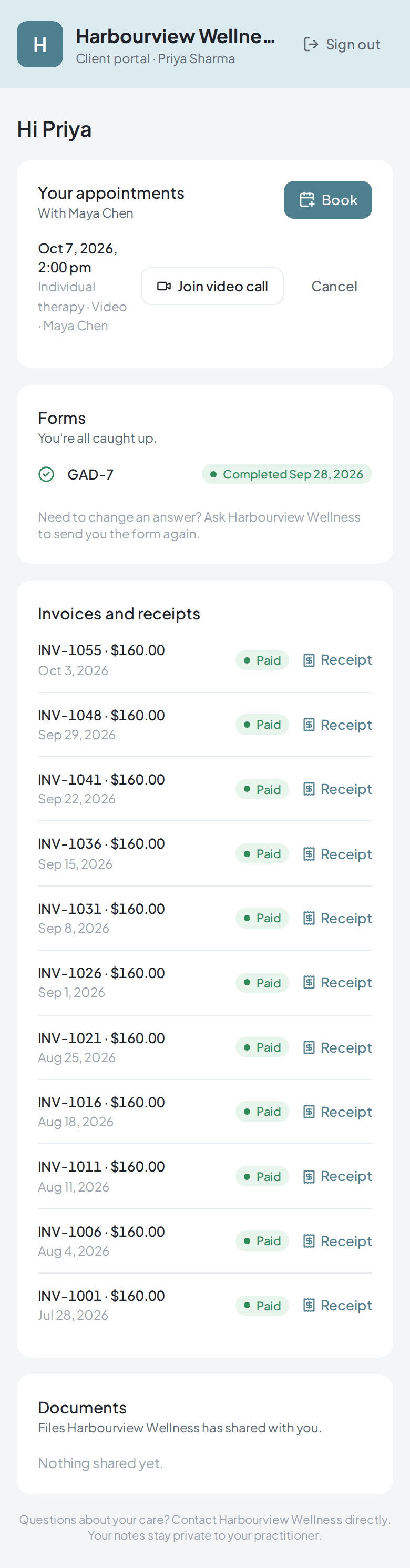
Clients sign in with a one-time link sent by email. From there they can book, join their video session, fill in forms, download receipts and the files you share.
- No passwords for clients to remember
- Book and cancel within the rules you set
- Completed forms are locked so the record stays accurate
- Owners choose what clients can do from Practice settings
Video sessions
A virtual office, not just a video call.
- Join from the appointment in one click
- Clients join from a link, no app to install
- Shared whiteboard and anatomy diagrams
- Games and a feelings chart for sessions with kids
For clinics
Run a team without the admin.
- Invite practitioners, each with their own login
- Practitioners see only their own clients
- Payout splits by percentage or flat fee, with statements
- Practice settings for what staff and clients can do
Privacy & security
Built for Canadian privacy rules.
- Client records stored in Canada
- AI scribe audio transcribed in Canada, then deleted
- Two-step sign-in, which owners can require for everyone
- An audit log of who viewed and changed what
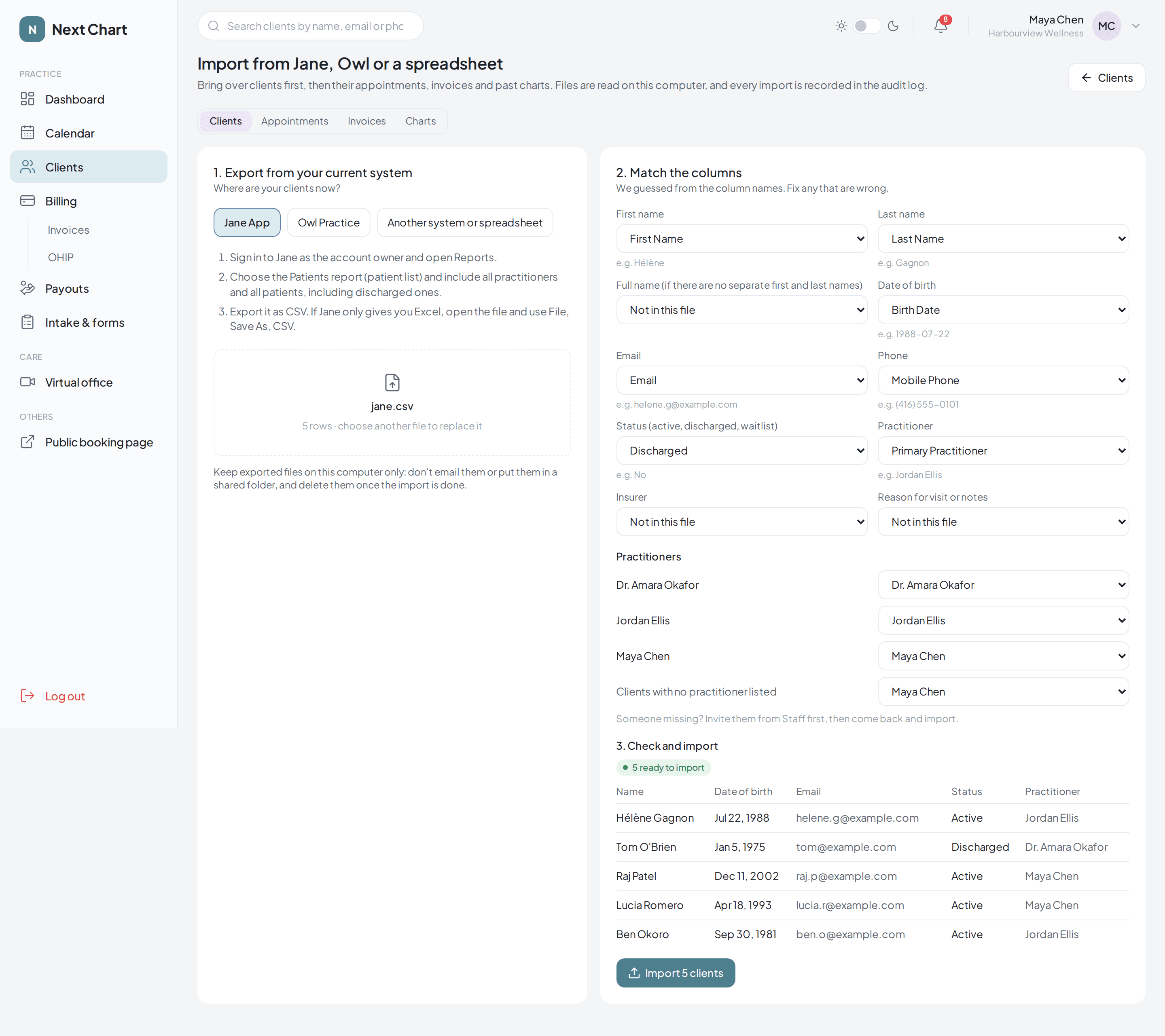
Switching from Jane App or Owl Practice
Bring your clients with you, free.
Export from your current system as CSV or Excel and import in a few clicks. Next Chart guesses which column is which, matches each client to the right practitioner and flags duplicates before anything is saved.
- Step-by-step export instructions for Jane and Owl
- Clients already in your chart are skipped
- Appointments, invoices and past chart files come over too
- Every import is recorded in your audit log